
How to try
Try any DORRS API endpoint right from this documentation using the built-in playground.
Every endpoint page in this Client API section is interactive. You don't need Postman, cURL, or any code to make your first request — each page includes a built-in playground that sends real requests to the DORRS API directly from your browser.
This guide walks you through trying your first endpoint in a few minutes.
Step 1 — Get your API key
DORRS issues API keys as JWT tokens. If you don't have one yet, follow the instructions in Getting Your API Key:
- Log in to your DORRS.io account.
- Open your account/profile settings.
- Copy your Bearer token from the API Keys section.
Your token is a long string starting with eyJhbGciOi... — copy it in full and keep it handy for the next steps.
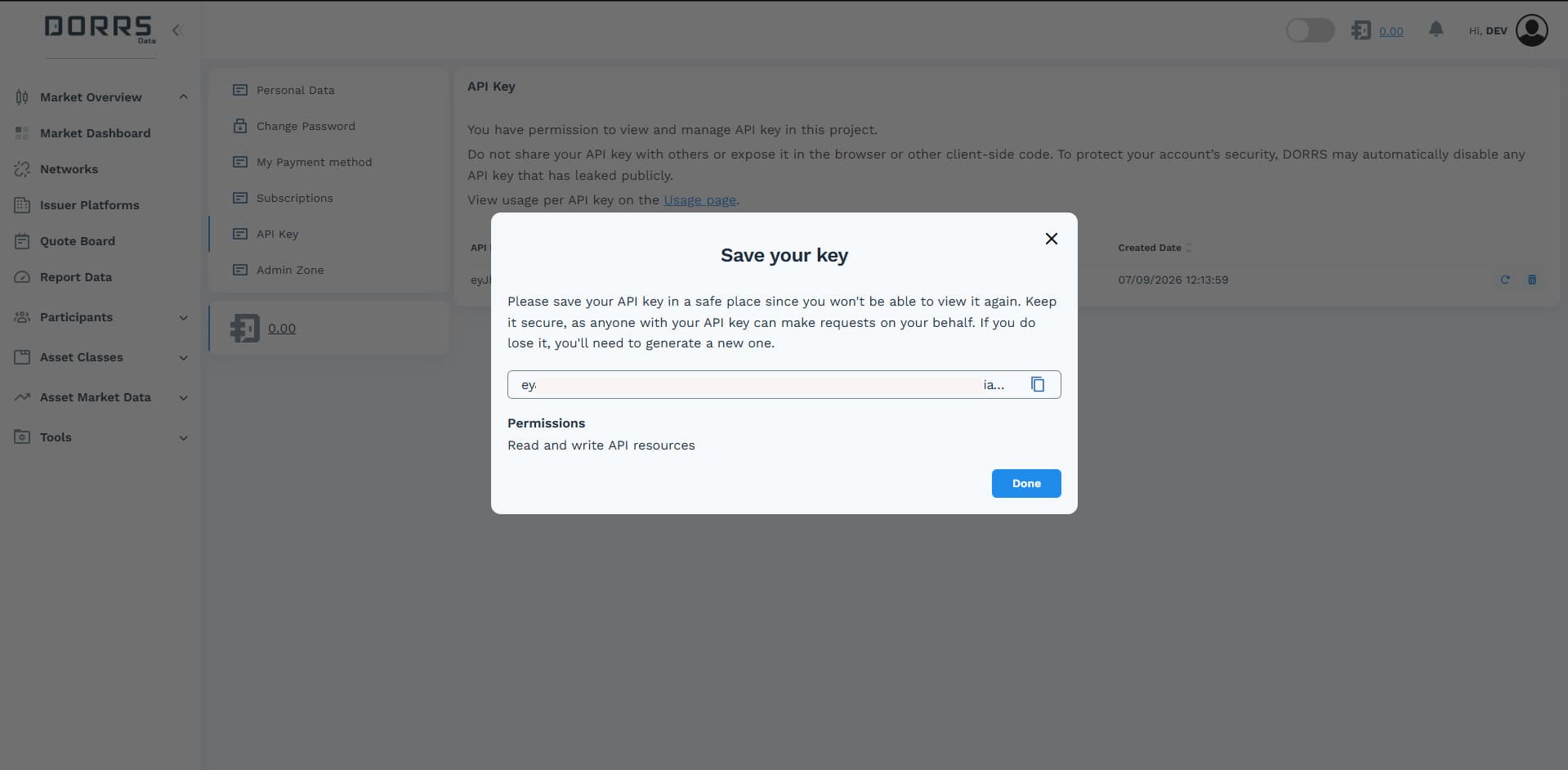
Keep your token secret
Treat your API key like a password. Do not share it or commit it to source code.
Step 2 — Open an endpoint page
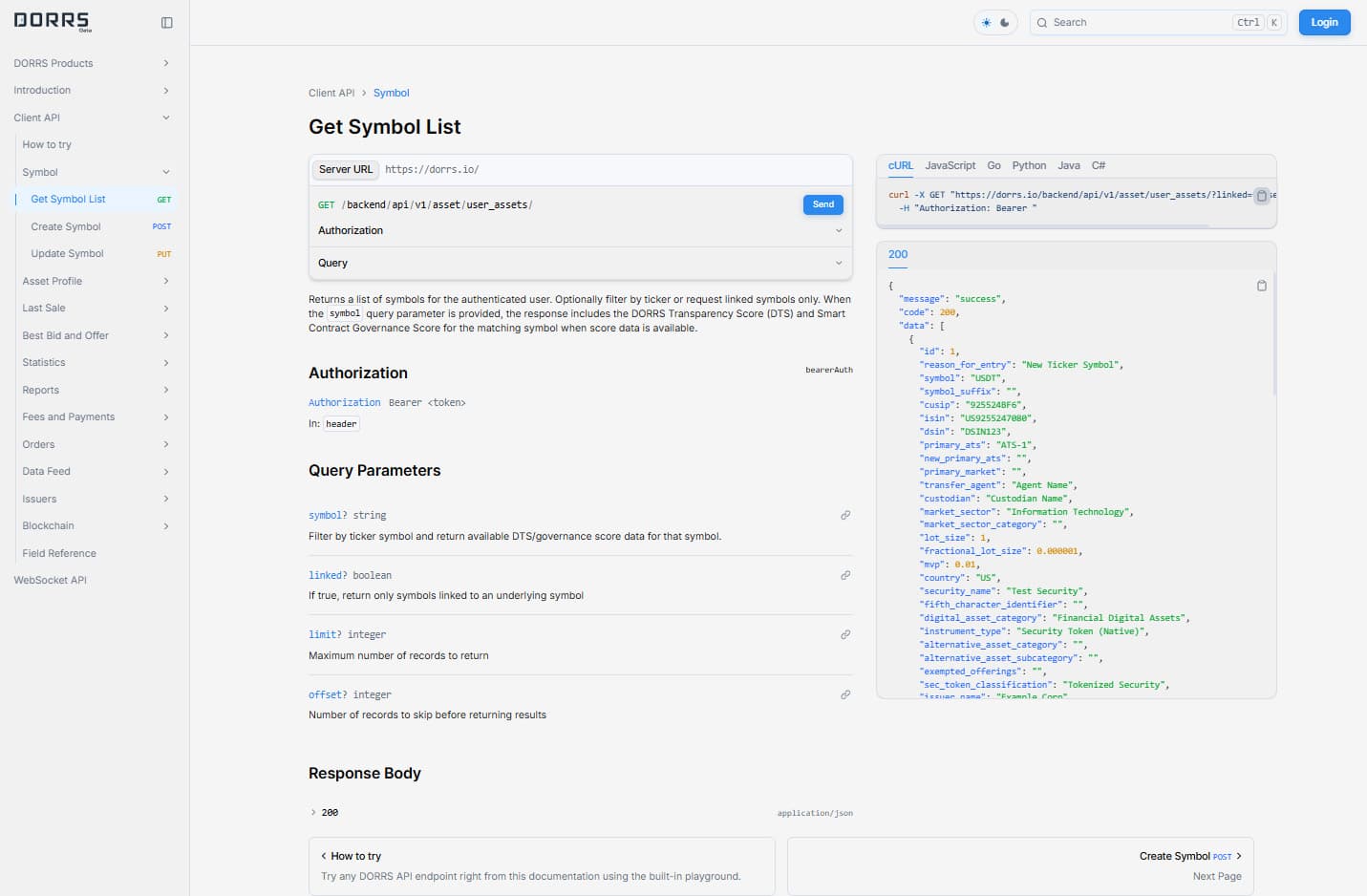
Pick any endpoint from the sidebar. If this is your first request, we recommend starting with a read-only endpoint that requires no special permissions, for example Get Symbol List.
Each endpoint page shows:
- the endpoint description, HTTP method, and path;
- request parameters and body schema;
- ready-to-copy code samples (cURL, JavaScript, Python, and more);
- the interactive playground for sending a test request.
Step 3 — Insert your API key
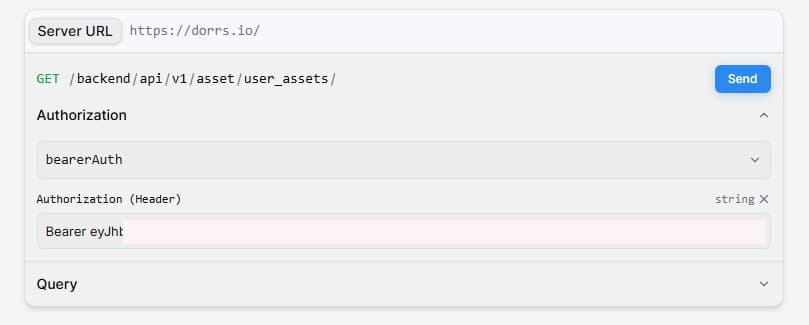
Open the playground on the endpoint page and find the Authorization field. Paste your JWT token there.
The token is sent as a standard Bearer header, so the resulting request will include:
Authorization: Bearer <your_jwt_token>You only need the token itself — the Bearer prefix is added automatically.
Step 4 — Fill in parameters and send the request
- Fill in the required path/query parameters or the request body, if the endpoint has any. Required fields are marked in the form.
- Click Send.
- The response — status code and JSON body — appears right below the form.
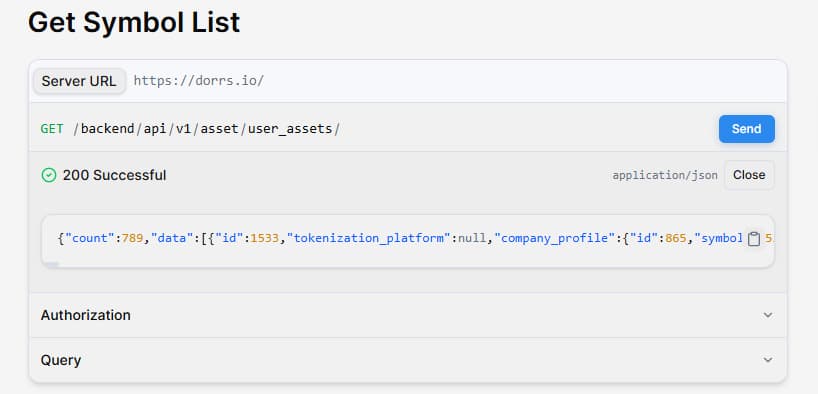
A 200 OK response with a JSON body means everything works: your key is valid and you are ready to use the API.
If something goes wrong
| Status | What it means | What to do |
|---|---|---|
| 401 Unauthorized | Invalid or expired token | Re-copy the token and paste it again, with no extra spaces. |
| 403 Forbidden | Your key has no access to this endpoint | Some endpoints (e.g., Add Last Sale) are permission-gated. Contact DORRS Admin to request access. |
| 400 Bad Request | Invalid parameters or body | Check required fields and value formats against the schema on the page. |
The full list of status codes is available in the Overview.
Next steps
Once the playground request succeeds, move the same call into your own code:
- every endpoint page provides ready-made code samples — copy one and replace the token placeholder with your key;
- see Making Your First Request for cURL, Python, and JavaScript examples;
- see Building a Reusable API Client for a production-ready client wrapper.